

-


-
 Login |Dashboard
-
 Rewards
-
 Activities
-

 Shopping Cart
-
 New
New
-
 Used
Used
-
 Electric
-
 Hybrid
-
 Loan
Loan
-
 Rent
Rent
-
 Sell
Sell
-
 e-Shop
-
 Motor Directory
-
 Accessories
-
 Insurance
-
 Articles
-
 Forum
Forum
-
 Resources
-
Download Mobile Apps


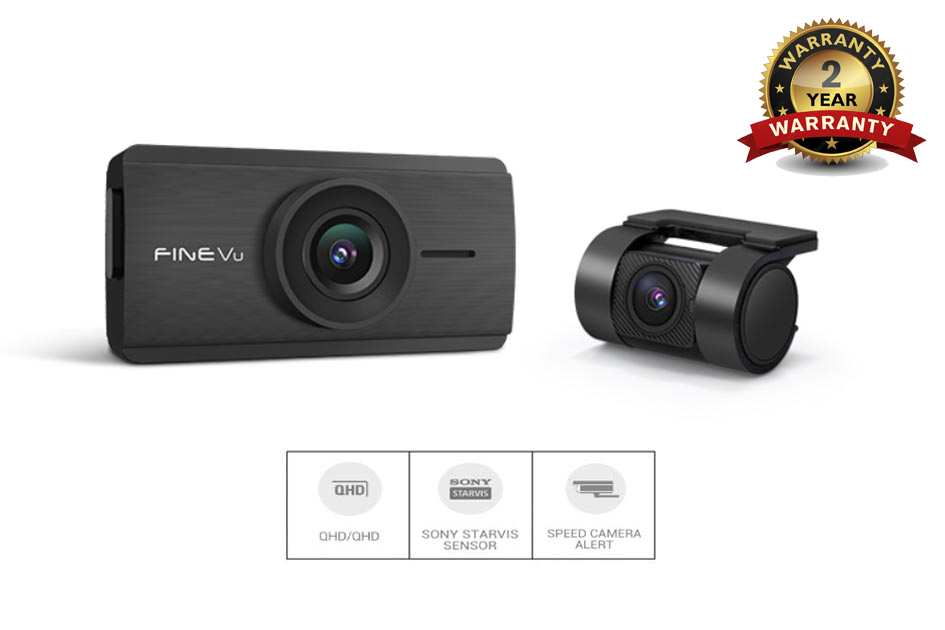

FineVu DASH CAM-GX35


SUPER COMPACT SIZE, NON LCD- DASHCAM
- Compact size maximizes the driver’s view.

CRYSTAL CLEAR QHD RESOLUTION
- QHD captures every moment realistically.
Day:
Night:
* This video is taken in QHD quality. The license plate is blurred to protect personal information.
* The quality of recording may vary depending on conditions. (including camera angle, windshield conditions, and light conditions)
SONY STARVIS 2 SENSOR
- Upgraded SONY STARVIS 2 SENSOR reduces power consumption by 30% compared to SONY STARVIS 1, providing unimaginably vivid images regardless of day or night.

AUTO NIGHT VISION
- Smart AI system assesses light environment and finds the perfect time to switch it on.
Keeping you completely hands-free.
Day:

Night:

HDR
- Exposure is balanced for keeping all details intact.

EASY WI-FI PAIRMG WITH FINEVU APP

* This product is built-in Wi-Fi and does not require a separate Wi-Fi dongle.
* The FineVu Wi-Fi app (  ) can be downloaded from the Google Play Store / App Store.
* For detailed connection method, please refer to the manual.
POWER SAVING PARKING MODE
- Consuming 98% less power, GX35 records 13,950 more hours than standard parking mode.

* The number of recording-standby hours is based on maximum hours
provided by hardwiring to fuse tap until low voltage cut-off initiates.
* Depending on dashcam’s power consumption, environmental factors,
and vehicle’s battery condition actual recording standby hours may vary.
* Certain features may not be featured during Power Saving Parking Mode.
A MINUTE LONG SURVEILLANCE
- And that is not it. Any motion caught in the next 60-seconds will be secured in a minute-long footage. Vacation, business trip, or any other long absence it may be. FineVu will look after your car.

* Impact triggers recordings
ABSOLUTE PARKING MODE
- FineVu’s Absolute Parking Mode secures vital 20-seconds of the accident scene.

10-seconds prior to the event, and 10-seconds after the event.
No detail is left out from the scene.
Secure the right moment with included hardwire cable.
* Requires hardwire cable installation
SMART TIME-LAPSE
- SMART TIME-LAPSE feature captures up to 1,129 minutes with no data loss. When an impact is detected, FineVu will automatically save the footage in 30fps.

* SMART TIME-LAPSE Specifications were measured under 32GB and compared to the default driving mode.
* Factors such as collision events may affect the storage volume.
ADAS PLUS
- ADAS(Advanced Driver Assistance Systems) helps safe driving with sound alerts. The system evaluates its surroundings with integrated sensors, and warns driver if necessary.

Front Vehicle Motion Alert (FVMA)
- While stopped in traffic, the movement of stationary vehicle ahead triggers alert to driver.

Lane Departure Warning System (LDWS)
- Alert is triggered as vehicle veers off driving lane while in motion.

AI HEAT MONITORING
- If FineVu starts to overheat while at parking mode, the AI will automatically switch it to Power Saving Parking Mode. When it cools down and temperature stabilizes, AI will switch it back to motion parking mode.

* The feature is only applicable during motion/time lapse parking mode.
LOW VOLTAGE CUT-OFF (WINTER SEASON)
- FineVu is equipped with Battery Protection System. Dashcam powers down when battery voltage falls below preset value. Select your vehicle type and your car’s specific power setting on FineVu Wi-Fi app to maximize efficiency of both dashcam and car batter.

* FineVu recommends changing the low voltage settings to ‘hybrid’ when using the ISG system.
* During winter season, dashcam is automatically cut-off at a point when voltage is 0.2V higher than set value.
MEMORY STORAGE ALLOCATION
- The memory storage allocation function enables efficient memory management according to the driving pattern.

* The MicroSD card is formatted when changing the memory allocation.
* The memory format type is FAT32, and if the format type is different, the dash cam proceeds with formatting automatically.
(After formatting, once you insert it into the device and supply it with power, the formatting will be in progress to set the memory.)
CUSTOMIZING OSD PHRASES
- Users can change the wording of the On Screen Display(OSD) to user’s preference. Up to 20 characters can be entered in English letters, numbers, and special characters.

FORMAT FREE 2.0
- Format Free 2.0 technology eliminates the need for manual reformatting of the micro SD memory card. Also, it helps to extend the memory card lifespan and improve reliability.

SPEED CAMERA ALERT
- FineVu safety camera database is always up to date. Download the quarterly updates, and get informed with FineVu’s voice & visual alerts. Worry no more about accidents and speeding tickets.

* This feature is not available in all areas.
* It operates when GPS signals are received.
POLARIZATION(CPL) FILTER SUPPORT
- The Polarization CPL filter is a filter that enhances clarity by removing diffuse reflection of light.It helps improving video recording quality by preventing unnecessary light reflection.
 FINEVU PC PLAYER
- FineVu PC player is an easy-to-use PC software of FineVu dashcam. You can playback, screenshot, enlarge the images with full resolution and monitor the video records conveniently on your PC.

*This feature can be used after installing FineVu Player program.
Product Description:

What's in the box?

- To improve the performance of the product, its components may change without prior notice.
Optional


You may also like: