

-


-
 Login |Dashboard
-
 Rewards
-
 Activities
-

 Shopping Cart
-
 New
New
-
 Used
Used
-
 Electric
-
 Hybrid
-
 Loan
Loan
-
 Rent
Rent
-
 Sell
Sell
-
 e-Shop
-
 Motor Directory
-
 Accessories
-
 Insurance
-
 Articles
-
 Forum
Forum
-
 Resources
-
Download Mobile Apps


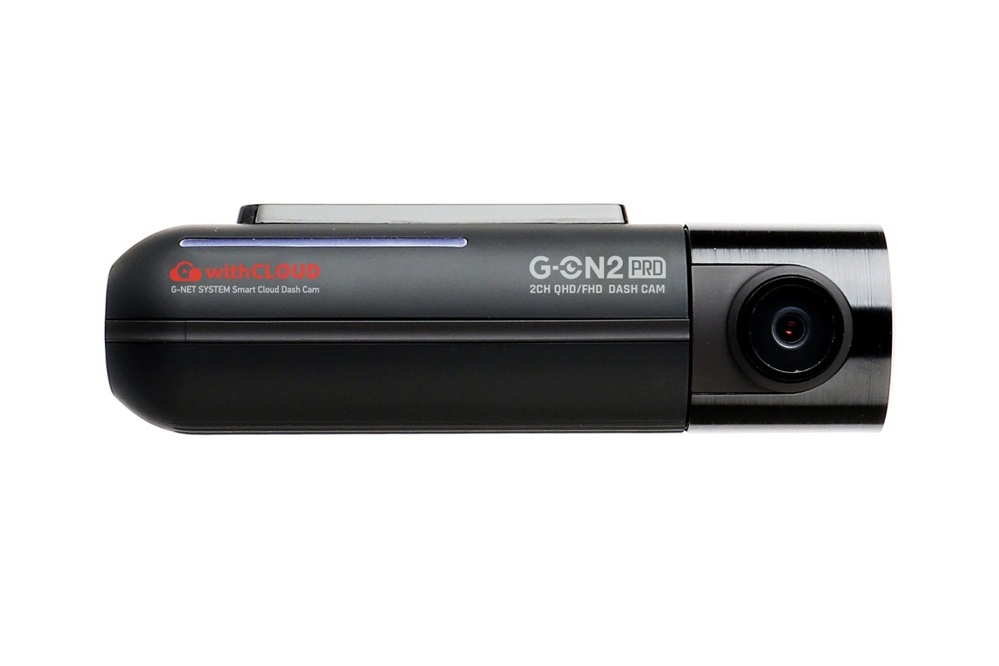

QHD front + Full HD rear.
Reliable protection for every journey.
Key Features:
Outstanding Visibility under the Starlight
The STARVIS is back-illuminated pixel technology used in CMOS image sensors for surveillance camera applications.
It features a sensitvity of 2000 mV or more per1 µm2 (color product, when imaging with a 706cd/m2 light source,
F5.6 in 1 s accumulation equivalent), and realize high image quality in both visible light and near-infrared regions.
 https://gnetsystem.com/wp-content/uploads/2026/03/소니스타비스-2-300x120.png 300w, https://gnetsystem.com/wp-content/uploads/2026/03/소니스타비스-2-768x307.png 768w, https://gnetsystem.com/wp-content/uploads/2026/03/소니스타비스-2-600x240.png 600w" sizes="100vw" width="860">
The New Cloud Service /for GNET Dash Cam Users withCLOUD™
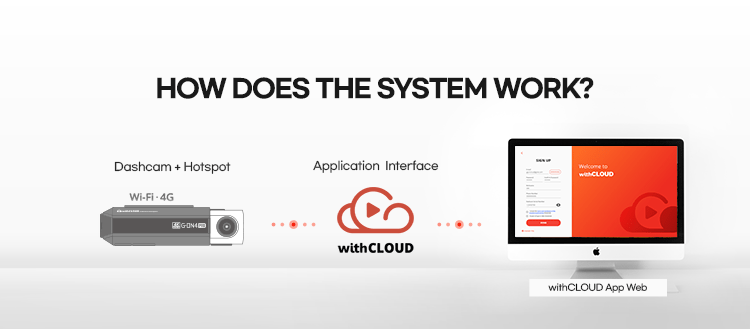
- Live Streaming
Monitor driving and vehicle status in live, video feeds are available from all dash cam channels - Live GPS tracking
Check vehicle’s location by tracking GPS signal, and check simply status of traffic condition - Statistics
Check driving patterns, analysis data of time period of packing mode, driving mode, speed and distance. - Live GPS tracking
Set a fence of boundary to a designated location, it provides notification to the driver with a security alert
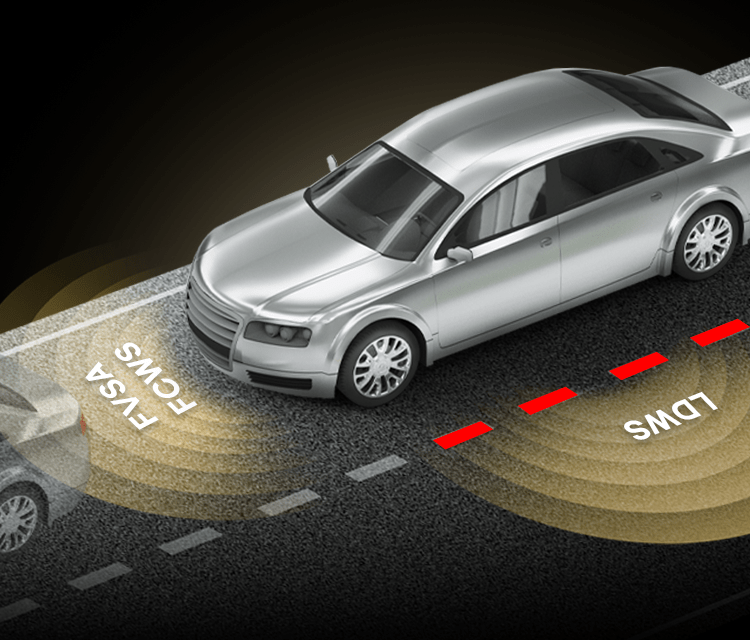
3 Functions for Safe Driving ADAS
“ADAS update”
ADAS is a safe driving assistance system for the driver’s safe driving environment
- FVSA - Front Vehicle Start Alarm
When the vehicle in front of you moves more than 2 meters away, the dash cam lets the driver know with a beep sound and a departure icon on the LCD screen.
*Non-LCD products provide sound warnings only - FCWS - Forward Collision Warning System
When the distance to the vehicle ahead decreases rapidly at high speed, the system alerts the driver with a beep and visual warning icon on the LCD screen.
*Non-LCD models provide audio alerts only - LDWS - Lane Departure Warning System
When the vehicle unintentionally departs from its lane, the system alerts the driver with a beep and displays yellow or red warning lines on the LCD screen.
*Non-LCD models provide audio alerts only
* Visual warning icons for lane departure, forward vehicle start, and collision alerts are displayed only when the LCD screen is on.
ADAS functions are available when the GPS is connected.
Available for long parking records TIME LAPSE
Time-lapse function automatically applied when entering parking mode
Time Lapse mode records one frame per second, minimizing the size of the video for a long time to record parking.
 https://gnetsystem.com/wp-content/uploads/2026/02/real-hdr-300x126.png 300w, https://gnetsystem.com/wp-content/uploads/2026/02/real-hdr-768x321.png 768w, https://gnetsystem.com/wp-content/uploads/2026/02/real-hdr-600x251.png 600w" sizes="100vw" width="860">
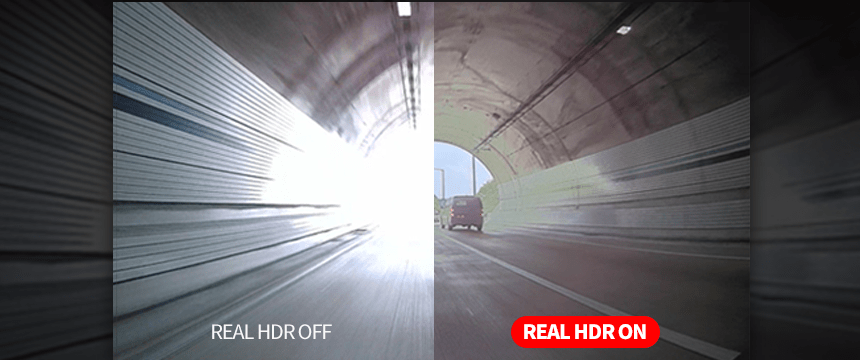
Clear Recording Quality when Driving at Night - REAL HDR
Real HDR is installed to remove light blurring when driving at night,
Real HDR reduces image blur at night and provides clear recording in various lighting conditions such as backlight and tunnels.
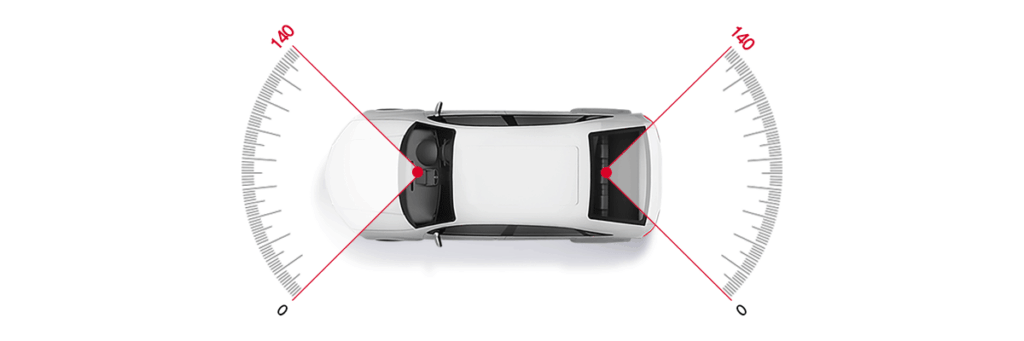 https://gnetsystem.com/wp-content/uploads/2026/02/광시야각-렌즈_이미지-300x100.png 300w, https://gnetsystem.com/wp-content/uploads/2026/02/광시야각-렌즈_이미지-768x256.png 768w, https://gnetsystem.com/wp-content/uploads/2026/02/광시야각-렌즈_이미지-600x200.png 600w, https://gnetsystem.com/wp-content/uploads/2026/02/광시야각-렌즈_이미지.png 1200w" sizes="100vw" width="1024">Optimal Viewing Angle without Distortion - WIDE VIEWING ANGLE
Front camera: 140° / Rear camera: 140°
Excessive angle of view refracts the image, causing effects such as distortion and loss of distance.
The GNET System has an optimal camera angle of 140° without those problems,
the situation of accidents on the side angle is recorded more reliably, and images without distortion of left / right / up / down are provided.
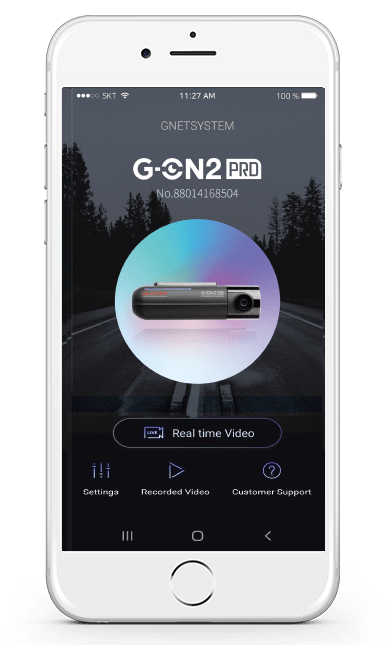
Smartphone Link via Wi-Fi® - G-NET APP
User-friendly GUI
User convenience has been further upgraded using intuitive icons for anyone to operate conveniently
- User-focused Firmware Upgrade
After accessing the firmware configuration by APP, the latest firmware can be automatically searched for and downloaded. - All the features you need at once! Easy and convenient GNET APP
You can easily set up device registration, real-time video setup, recorded video list, and customer support through the main screen. - Customized configuration by APP
Using the Smartphone APP, you can upgrade the firmware and play video as well as configure various settings
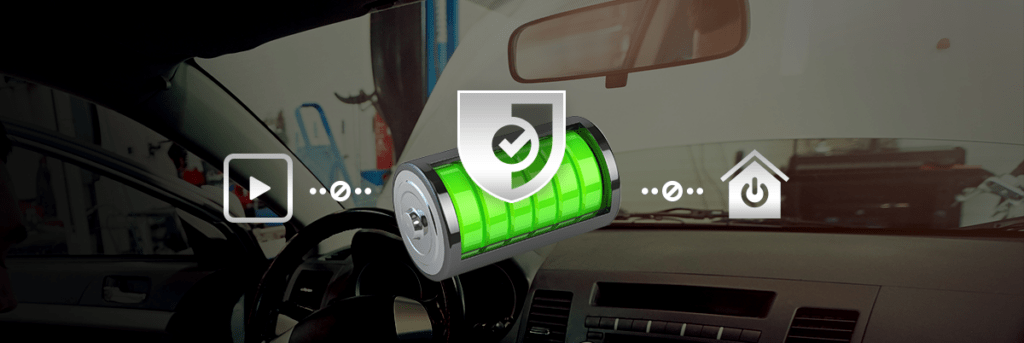
For Vehicle Battery Discharge Protection LBP FUNCTION
An intelligent safeguard function that automatically stops recording when the voltage drops below a specified level and cuts off power to protect the vehicle battery.
- LBP (Low Battery Protection) Auto Safeguard ( ON / OFF )
The vehicle’s voltage can be checked while recorded videos, and settings can be be adjusted using the GNET PC VIEWER.
Settings can also be changed wirelessly through the GNET APP via smartphone connectivity.